Showing posts with label HCI. Show all posts

Sunday, 18 February 2018

Dell Technologies - VxRail 


- Jointly by Dell EMC and VMware

- Dell EMC PowerEdge 14th Generation - VMware - VSAN
- VxRail Appliances are built using a distributed-cluster architecture consisting of modular blocks that scale linearly as the system grows from as small as 3 nodes to as large as 64 nodes. Nodes are available with different form factors, with single-node appliances for use cases: E entrylevel systems; P performance optimized; V VDI optimized with GPU; and S storage-optimized configurations supporting high-capacity HDD drives


- All appliance models support either 10GbE or 1GbE network. 10Gb Ethernet networks are required for all-flash configurations and environments that will scale to more than 8 nodes. Additional ports are available, allowing the customer to expand VM-network traffic.
- Scale up and Scale out


The number of Ethernet switch ports required depends on the VxRail model and whether it is configured for hybrid storage or for all flash. The all-flash system requires two 10GbE ports, and hybrid systems use either two 10GbE ports per node or four 1GbE ports per node. For 1GbE  networks, the 10GbE ports auto-negotiate down to 1GbE. Additional network connectivity can be accomplished by adding additional NIC cards. The additional PCIe NICs are not configured by VxRail management, but can be used by the customer to support non-VxRail traffic, primarily VM traffic. The additional ports are managed through vCenter. Network traffic is segregated using switch-based VLAN technology and vSphere Network I/O Control (NIOC). Four types of network traffic exist in a VxRail cluster:
Management -  Management traffic is use for connecting to VMware vCenter web client, VxRail Manager, and other management interfaces and for communications between the management components and the ESXi nodes in the cluster. Either the default VLAN or a specific management
VLAN is used for management traffic.
vSAN -  Data access for read and write activity as well as for optimization and data rebuild is performed over the vSAN network. Low network latency is critical for this traffic and a specific VLAN isolates this traffic.
vMotion -  VMware vMotion allows virtual-machine mobility between nodes. A separate VLAN is used to isolate this traffic.
Virtual Machine  -  Users access virtual machines and the service provided over the VM network(s). At least one VM VLAN is configured when the system is initially configured, and others may be defined as required.

VxRail Manager - VxRail management platform, is the appliance hardware lifecycle management and serviceability interface for VxRail clusters. In newer VxRail version 4.7 plugin for vCenter allow the entire activities from within the vCenter.

vSphere - vCenter and ESXi,, vSAN Software Defined storage (at least 1 SSD required for VSAN)
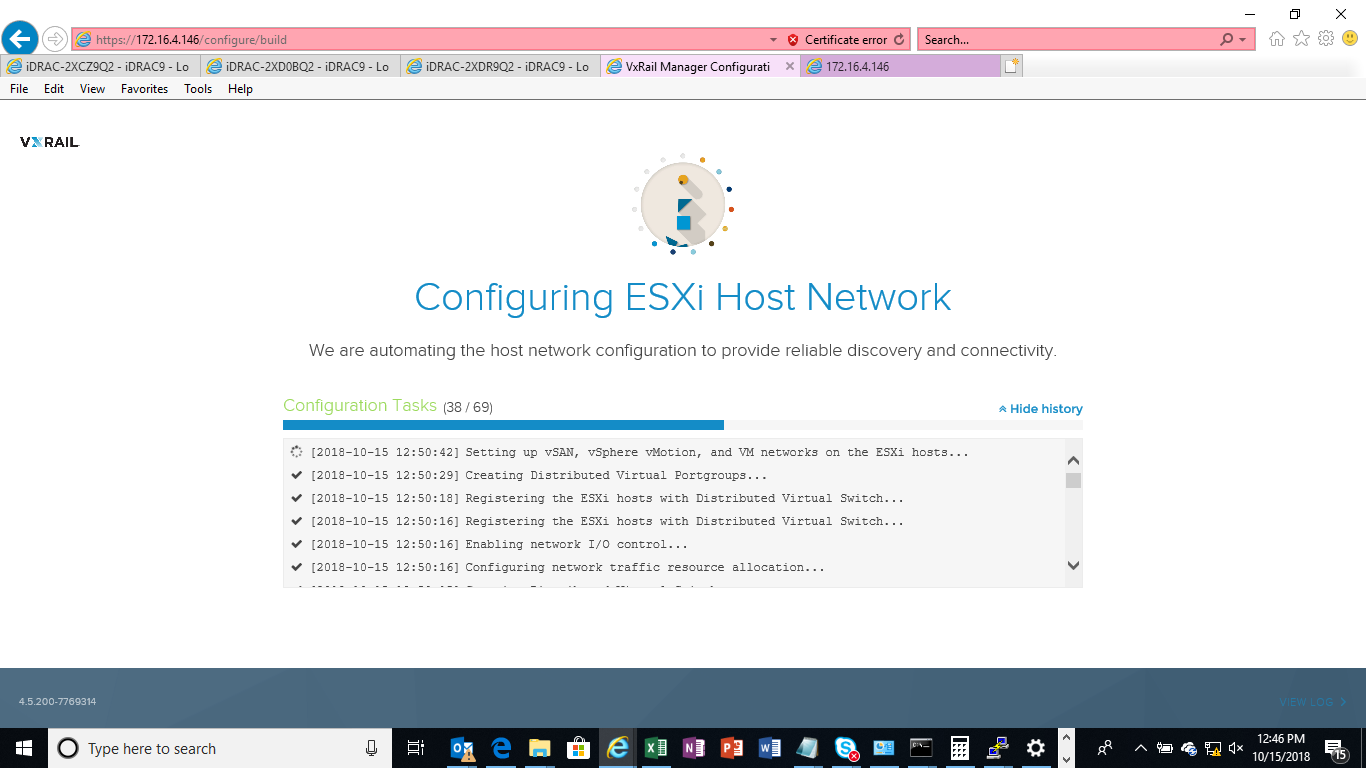
After the hardware and network configuration is complete access VxRail cluster with default IP address of 192.168.10.200 and follow step by step procedure to configure VxRail. This can also be automated by putting all input values in JSON file. JSON files can be created using VxRail PEQ(pre engagement questionnaire).

Initial Screen on browser with 192.168.10.200


One of the screen during configuration


VxRail Cluster Initialized


ESRS - EMC Secure Remote Services,
/var/log/VMware/marvin/tomcat/log/marvin.log
http://vxrail-ip/stats/log

Bye...

Sunday, 21 January 2018


NetApp HCI

NetApp HCI is architected in building blocks either at the chassis or node level.   Each chassis can hold 4 nodes made up of storage running SolidFire Element OS and/or compute nodes with VMware hypervisor (or another hypervisor… may be in later stage). Nodes are inserted and removed from the back of the chassis and SSD’s for storage nodes are populated in the front.  Minimum configuration is 2 chassis with 6 nodes, 4 storages and 2 computes.  2 additional blank spots can be used for expansion. Compute and Storage nodes can be mixed and matched.

Storage Nodes and compute nodes comes in 3 configurations small, medium, and large.

Storage - Large 22TB/44TB, Medium 6TB/22TB, Small 3TB/11TB

Compute - Large 36 cores 768GB, Medium 24 cores 512GB, Small 16 cores 384GB

The specific value propositions of NetApp HCI are the following

Guaranteed performance: delivers predictable performance, consolidates mixed workloads, and provides granular control at the virtual machine level.

Flexibility and scale: scales compute and storage independently, optimizes and protects existing investments, and eliminates HCI "tax" by separating the scaling of computer and storage.

Automated infrastructure: deploys capabilities rapidly, automates and streamlines management, and simplifies processes through a comprehensive API library.


First-generation HCI scales compute and storage together in fixed ratio. NetApp HCI scales independently sot that if customers need only compute, they do not pay for and overprovision storage.  Because NetApp storage and compute nodes scale independently, customers can mix and match to fit their needs.  All nodes in the minimum configuration should be the same size and the largest node should be no more than one-third larger than the combination of the rest of the nodes.


With NetApp Deployment Engine(NDE) HCI can be deployed quickly (around 30min)

NetApp has automated and streamlined the deployment steps, reducing more than 400 entries to fewer than 30 entries.  This automation reduces the risk of error and enables customers to begin using HCI in about 30 minutes.  Because they system is intuitive, process data, such as user name and passwords, when possible, so customers need to enter the data only once. Customers are not required to reenter data or select several options at varying complexity levels. The system automatically checks for user errors, eliminating manual checks.

Originally, data enters were constructed with hardware.  Software played only a supporting role.  Hyper converged infrastructure(HCI) is "software-defined" because it employs a high degree of virtualization for storage, servers and support services.  The virtualization layer, which is a common software layer, runs on and manages the hardware, Software-defined data center (SDDC) architecture also enables higher degrees of automation.  The software layer has automation helpers, such as APIs.


HCI addresses business requirements by improving data efficiency and simplifying management of all infrastructure resources and virtual machines. HCI accomplishes this goal by providing a single point of administration at a fraction of the cost of a three-tier architecture.  Bringing all data center resources into the resource stack improves performance, and the data architecture improves data efficiency by providing one-time deduplication, compression and optimization of data.  A reduced need for hardware resources, streamlined operations, and automation greatly reduce the TCO.


NetApp HCI is good for work consolidating in highly virtualized, mixed-workload environments, where customers want to run thousands of applications predictably, with guaranteed performance.

NetApp HCI is good for web infrastructures where customers want to deliver predictable performance to web applications and scale resources independently to meet or exceed SLAs.

NetApp HCI is good for databases environments running SQL and NoSQL (for example MongoDB) database workloads that need resources to run properly without the capital expenditure(capex) and operational expenditure(opex) burdens of dedicated hardware.

NetApp HCI is good for end-user computing environments where customers want to cost-effectively deliver the flexibility and adaptability that are required to manage an evolving large-scale, end-user computing environment. With granular quality-of-server (QoS) controls and independent scale-out architecture. NetApp HCI is uniquely suited to manage and adapt to the mixed and unpredictable performance for every application and true multitenancy.  NetApp HCI is designed for the Data Fabric, so customers can access their data across any cloud – hybrid, public or private.
How it differs from Nutanix...look for my future blogs or see updates on the same blog itself.
 
Bye...